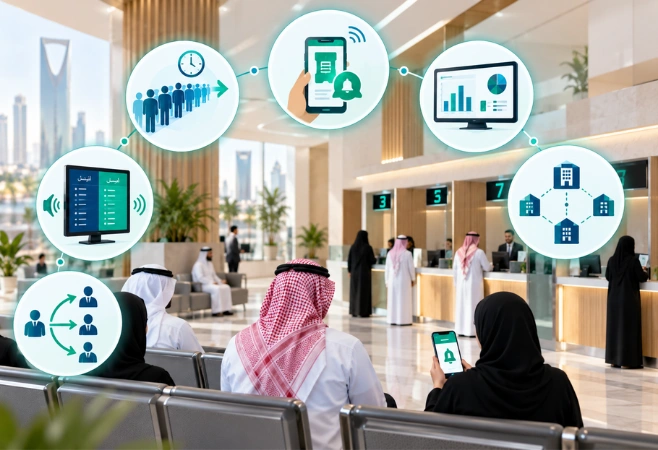
Handle Rush Hours
Route openings, prayer-time and month-end surges to whichever counter is free.

The complete queue management suite for Saudi Arabia. Tokens, appointments, counter routing and live displays in one system, running in Arabic and English.
Providing businesses with cutting-edge software, cloud, cybersecurity, and infrastructure solutions from trusted global providers.






A queue management system decides who gets served, when, and at which counter. The customer takes a token from a kiosk, a QR code or their phone, waits wherever they like, and gets called to a specific counter by screen, voice and message. Your staff call the next customer with one tap instead of shouting a number across a hall.
Tadeed supplies and installs this system for banks, clinics, government service centres, telecom stores and retail groups across Saudi Arabia. We deploy the Entry2Exit platform, already handling millions of visitors across the region, and we configure the services, counters and routing rules around how your branch actually runs.
Start with one branch and add the rest later. Head office sees every location in one dashboard: how long people waited, which counter is slow, which service is overloaded and at what hour of the day.
The queue system replaces the paper ticket roll, the crowd at the counter and the customer asking staff how much longer.
Each customer is given a virtual or printed token tied to a service, placed in the right queue, and called to the counter that handles that service. Everything is logged.
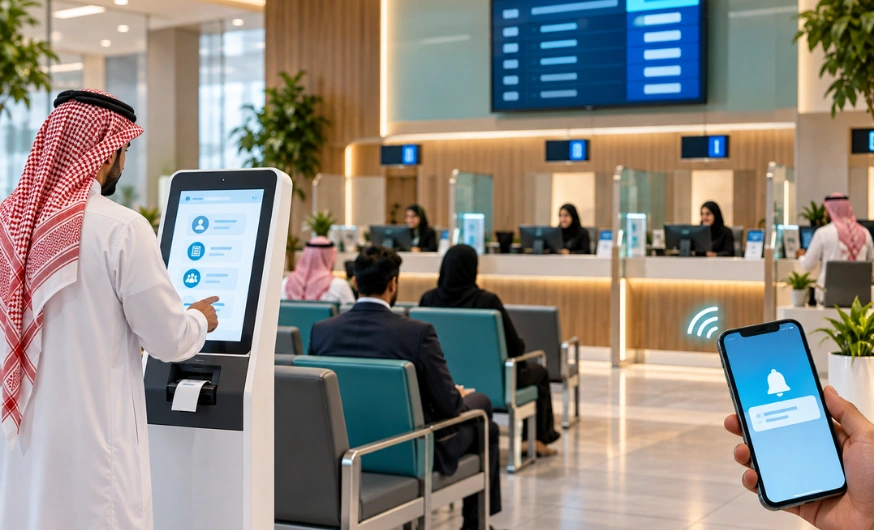
Branch traffic in KSA arrives in waves. A bank, clinic or service centre can sit quiet for an hour and then take a hundred people at once, while staff numbers stay fixed.
Route openings, prayer-time and month-end surges to whichever counter is free.
Token on the phone, alert by SMS or WhatsApp, no standing in the hall.
Record every wait, service time and no-show per counter and per branch.
Tokens, displays and voice callouts run in Arabic and English.
Call the next customer to the right counter instead of the longest line.
Head office sees waiting times across every location in one view.
Same queue, same rules, no separate line for each method of joining.
Customers get their token however suits them. Walk in and use the kiosk, scan the QR code on the wall with their own phone, or book a slot before leaving home. Same queue, same rules, no separate line for each method.
Let customers book a time slot through your website, a link, a call centre or WhatsApp. They arrive close to their slot instead of at opening time, and the branch load spreads across the day. Booked and walk-in customers sit in the same queue logic, so neither one blocks the other.
Screens in the waiting area show the token being called and which counter to go to. The callout is spoken in Arabic or English, or replaced by a chime where a quiet hall matters. Between callouts, the same screens run your own promotions, notices and videos.
The customer gets a message when the token is issued, another when their turn is close, and a feedback link when they are done. They can leave the hall without losing their place, which is the single biggest change most branches notice.
Each counter gets a simple screen: call next, recall, mark a no-show, transfer to another counter, close the token. Staff see the customer's details and the service requested before they arrive at the desk, so the conversation starts halfway through.
Head office sees every location at once: average wait, average service time, tokens issued, no-shows and which counters carry the load. Branch managers see only their own site. The reports show the pattern, so you staff the busy hours instead of guessing at them.
Tadeed provides everything your organisation needs to register, approve and track visitors efficiently.
Request a DemoFloor kiosks, wall and counter units, tablets and contactless QR tokens on the customer's phone.
Separate queues for each service you offer, with counters assigned to the ones they handle.
Move elderly customers, people with disabilities, VIPs or urgent cases up the queue by rule, not by argument.
Send a customer to a different counter mid-visit without putting them back at the end of the line.
Bilingual kiosks, tokens, displays, voice callouts, messages and reports.
Spoken token and counter numbers, or a chime where a quiet waiting area matters.
Images, videos and promotions on the same screens between callouts, scheduled by your team.
Slots booked through website, link, call centre or WhatsApp, checked in by QR on arrival.
Customers hold their place from outside the branch and are called back by message.
Rules for what happens when a token is called and nobody comes, including recall and requeue.
Cap the number of people in a hall or waiting area and hold the rest as virtual tokens.
Rate the service on a tablet at the counter or through a link sent after the visit.
Wait times, service times, token volumes, counter load and no-show rates as they happen.
Prefixes, numbering and ticket layouts set per service and per branch.
Add branches over time, all managed from the same platform.
Your own servers, your own cloud, or a managed cloud we look after for you.
Set how long records are kept and remove them automatically after that.
Pull any date range as a clean report for management or service level reporting.
Six steps, from the token to the record.
The customer selects the service they need at the kiosk, scans the QR code on their phone, or arrives with a booked appointment. The token is issued with a queue position.
A message confirms the token. The customer can sit in the hall or step out, because the alert will reach them before their turn.
The token appears on the waiting-area display with the counter number, and is called out in Arabic or English. A message goes to the customer at the same time.
Staff already see who is coming and what they asked for. If the request belongs at another counter, the customer is transferred without rejoining the queue.
The token is closed at the counter and the customer is asked to rate the service, on a tablet or through a link.
Every sector queues differently. A clinic has appointments and walk-ins mixed together, a bank has a dozen services at four counters, a service centre has documents that take twenty minutes each. The system is configured for the way your sector runs, not the other way round.
Request a DemoAppointment and walk-in patients handled in one flow, with separate queues for registration, consultation, pharmacy and billing, and callouts that keep the waiting area calm.
Patients book a slot or scan a QR at the door, wait outside if they prefer, and get called back by message when the doctor is ready.
Teller, customer service, account opening and relationship queues separated, with priority rules for premium and elderly customers.
High-volume citizen and resident services with published service levels, full waiting time records and bilingual displays throughout the hall.
New connections, billing, device support and returns split into their own queues, so a quick payment is not stuck behind a long support case.
Service desks, returns counters and click-and-collect points managed without a crowd forming in the walkway.
Prescription drop-off, preparation and collection queued separately, with a message when the order is ready.
Service desks, document counters and passenger assistance points managed at volume, with clear displays in Arabic and English.
Admissions, registration, finance and student services queued by department during the peak weeks of the term.
Three options, chosen to suit your data policy: your existing on-premise server, a private cloud server you own and manage, or a managed cloud server we host for you.
Run it on your own servers on site when data has to stay inside the building.
Host on a cloud you own and manage, still inside Saudi Arabia if your policy requires it.
We host and maintain it for you, with local installation, training and support.
Find quick answers about Queue Management System, installation, hosting, and how it runs across your sites in Saudi Arabia.
Yes. Kiosk screens, printed tokens, waiting-area displays, messages and reports all run in Arabic and English, and the voice callout is spoken in the language the customer chose when taking the token.
In most cases yes. The live queue display runs on standard screens through a media player, so existing displays in the hall can usually be reused. Send us the make and model and we will confirm before you buy anything.
No. They take a token at the kiosk, or scan a QR code with their phone camera and receive the token in the browser. Alerts arrive by SMS or WhatsApp.
Yes. Slots can be booked through your website, a link, the call centre or a WhatsApp chat. On arrival the customer scans a QR code to check in, and joins the queue at their slot.
You set the rule. The token can be recalled after a set time, moved down the queue, or marked as a no-show and closed. No-shows are reported so you can see how often it happens and when.
Yes. Staff transfer the token to another counter from their own screen, and the customer is called again there. They do not go back to the end of the queue.
Yes. You can run it on your own servers on site, on your own cloud inside the Kingdom, or on a managed cloud we host and maintain. Organisations with data residency rules in their security policy usually choose one of the first two.
Yes. Head office gets waiting times, service times, token volumes and no-show rates across every branch, while each branch manager sees only their own location.
Yes. Between callouts the displays run your images, videos and notices, scheduled by your own team and set differently per screen or per branch.
It depends on the branch. Some sites use a floor kiosk with a ticket printer, others use only a QR code on the wall and the customers' own phones. Counters need a screen or a tablet, and the waiting area needs at least one display. We size it after seeing the layout.
A single branch with a standard setup is usually live within a few weeks, including installation, configuration and training your counter staff. Multi-branch rollouts and custom integrations take longer and we scope those before quoting.
Pricing depends on the number of branches, counters and services, the hardware you need, and where the system is hosted. We quote after a short call about your branches and daily footfall.
Tadeed handles installation, configuration, training and ongoing support locally, backed by the Entry2Exit product team for platform updates and new features.

Tadeed handles installation, configuration, training and ongoing support locally, backed by the Entry2Exit product team for platform updates and new features.
Request a DemoLooking for expert solutions tailored to your business needs? Submit your Request for Proposal today, and our team will provide a detailed response.
Need assistance? Contact us at info@tadeed.com or follow us on social media for updates.
Submit your business needs and receive a proposal designed for your goals.